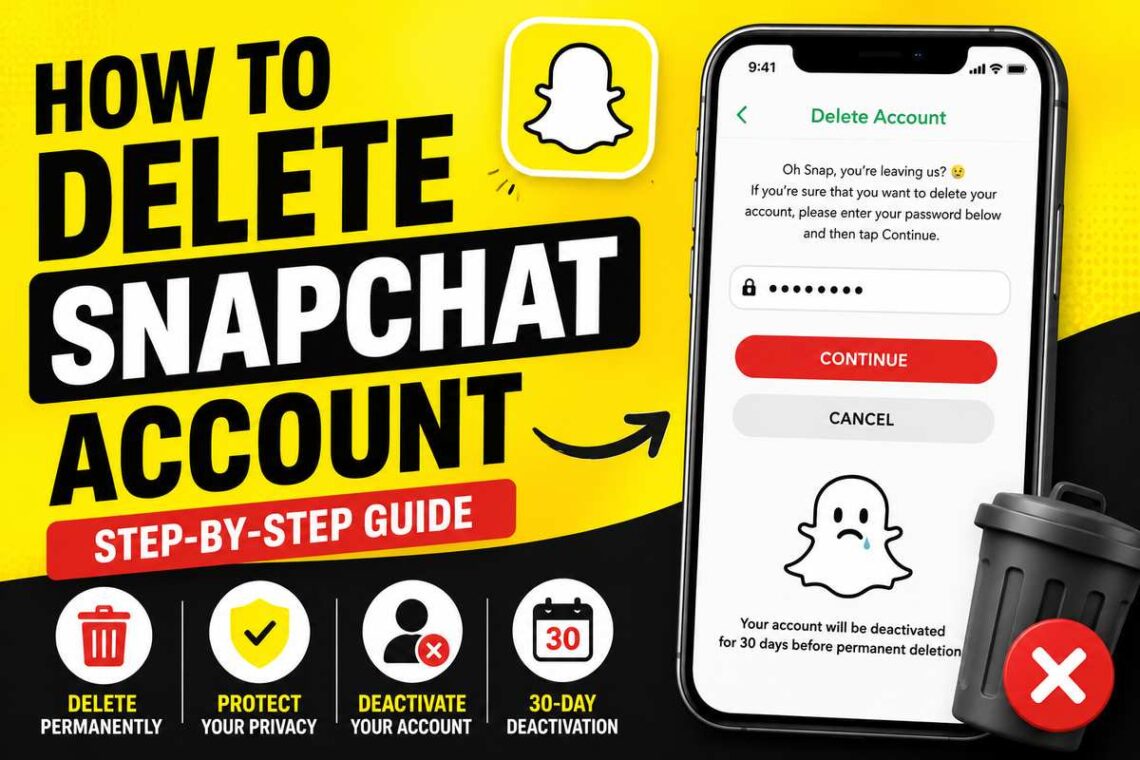
Snapchat has remained one of the world’s most popular social media platforms for sharing photos, videos, and messages. However, there may come a time when you decide it’s no longer the right app for you. Whether you’re taking a break from social media, concerned about privacy, switching to another platform, or simply trying to reduce screen time, deleting your Snapchat account is a straightforward process.
If you’re searching for how to delete snapchat account, this guide explains everything you need to know. You’ll learn how to permanently delete your account on Android, iPhone, and a web browser, what happens after deletion, how long Snapchat keeps your account before it’s permanently removed, and how to reactivate it if you change your mind.
Can You Permanently Delete a Snapchat Account?
Yes, Snapchat allows users to permanently delete their accounts.
However, Snapchat first deactivates your account for 30 days. During this period, your friends won’t be able to contact you, and your profile won’t appear in searches.
If you don’t log back in within those 30 days, Snapchat permanently deletes your account and most associated data.
What Happens When You Delete Your Snapchat Account?
Before deleting your account, it’s important to understand what happens afterward.
Once you begin the deletion process:
- Your account is deactivated immediately.
- Friends cannot send you Snaps or messages.
- Your profile becomes unavailable.
- Your account stays deactivated for 30 days.
- If you don’t reactivate it, Snapchat permanently deletes your account.
Some information may still be retained by Snapchat for legal, security, or business purposes, as described in its privacy policy.
Things to Do Before Deleting Your Account
Before deleting your Snapchat account, consider taking a few precautions.
Save Important Memories
Download any Memories, photos, or videos you want to keep.
Once your account is permanently deleted, recovering this content may not be possible.
Download Your Snapchat Data
Snapchat allows you to request a copy of your account information, including:
- Login history
- Friends list
- Profile information
- Location history (if enabled)
- Account settings
Downloading your data gives you a backup before deletion.
Cancel Snapchat+ Subscription
If you’re subscribed to Snapchat+, cancel the subscription through the App Store or Google Play Store before deleting your account.
Deleting your account does not automatically cancel recurring subscription payments.
How to Delete Snapchat Account on Android
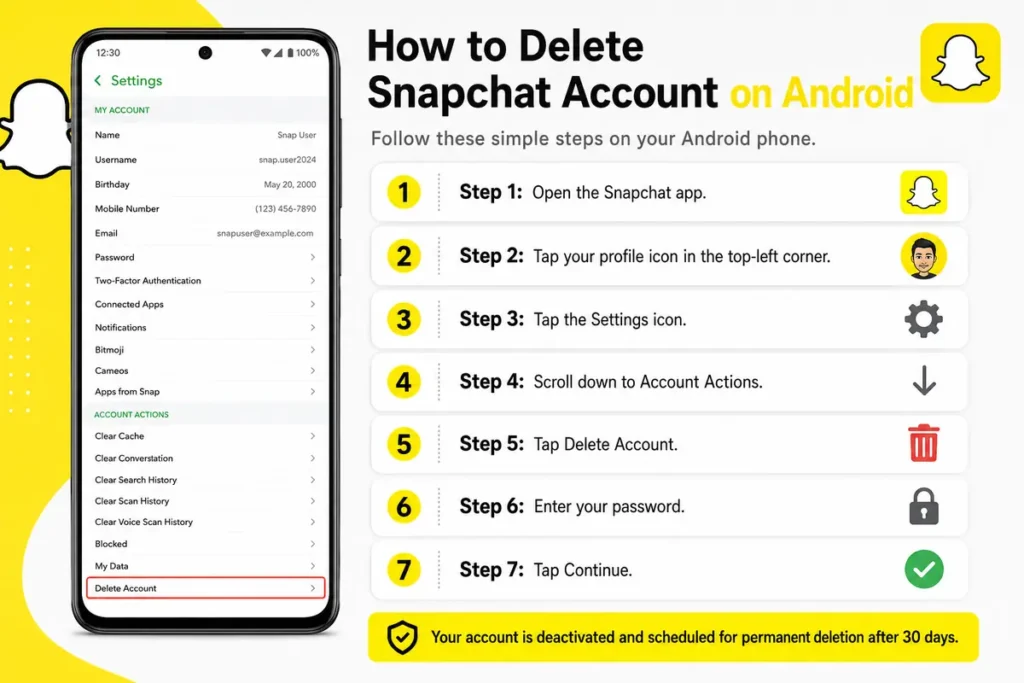
If you’re using an Android phone, follow these steps.
Step 1
Open the Snapchat app.
Step 2
Tap your profile icon in the top-left corner.
Step 3
Tap the Settings icon.
Step 4
Scroll down to the Account Actions section.
Step 5
Tap Delete Account.
Step 6
Enter your password.
Step 7
Tap Continue.
Your Snapchat account is now deactivated and scheduled for permanent deletion after 30 days.
How to Delete Snapchat Account on iPhone
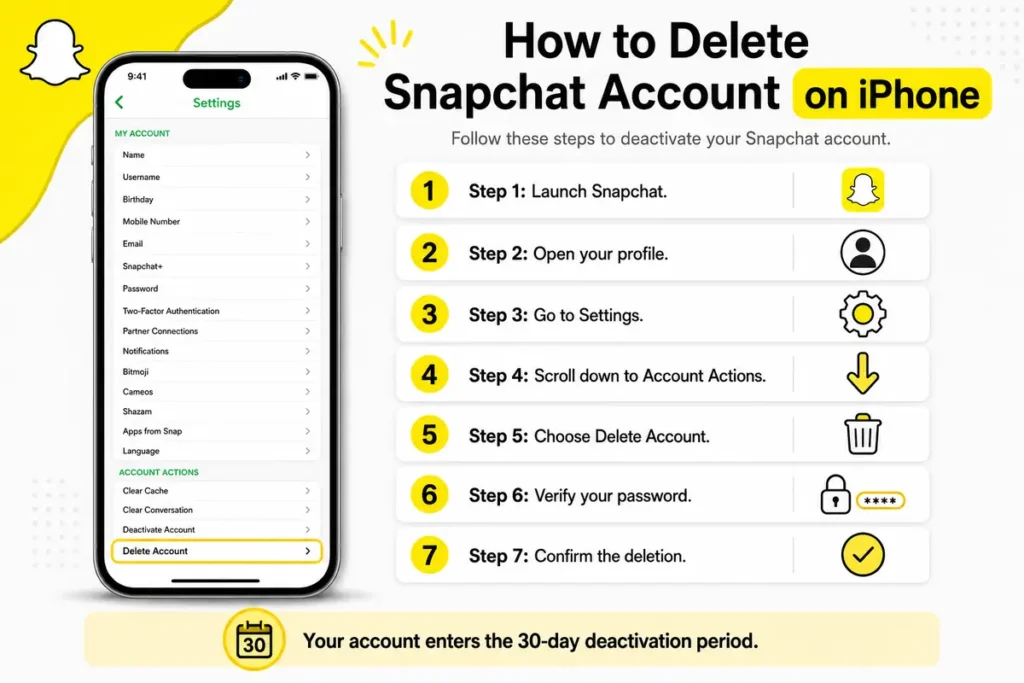
The process is nearly identical on iPhone.
Step 1
Launch Snapchat.
Step 2
Open your profile.
Step 3
Go to Settings.
Step 4
Scroll down to Account Actions.
Step 5
Choose Delete Account.
Step 6
Verify your password.
Step 7
Confirm the deletion.
Your account enters the 30-day deactivation period.
How to Delete Snapchat Account Using a Web Browser
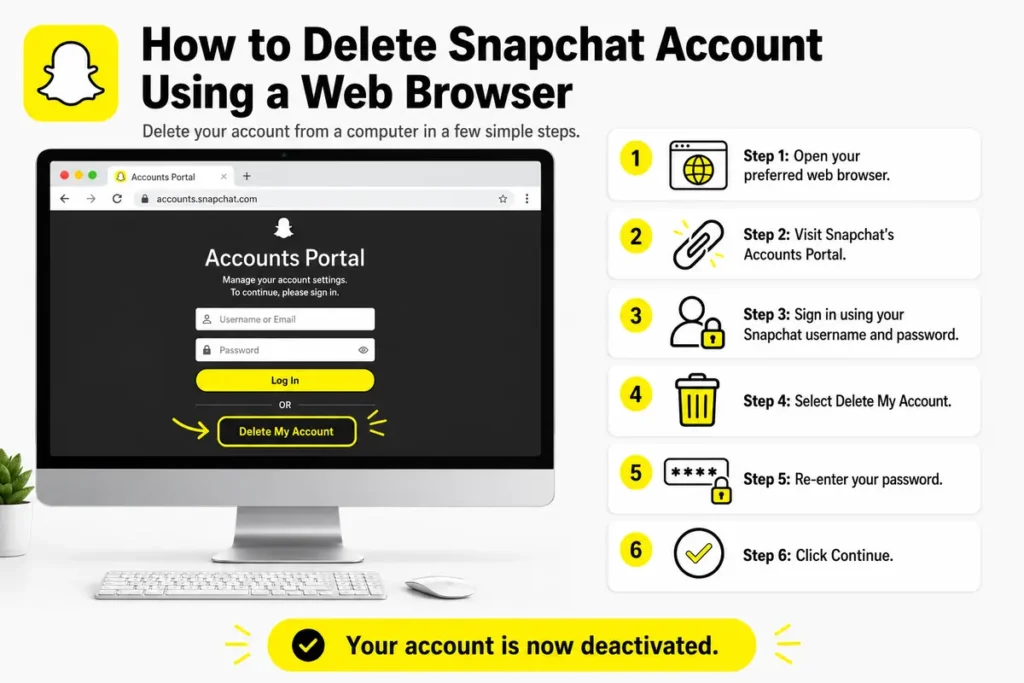
You can also delete your account from a computer.
Step 1
Open your preferred web browser.
Step 2
Visit Snapchat’s Accounts Portal.
Step 3
Sign in using your Snapchat username and password.
Step 4
Select Delete My Account.
Step 5
Re-enter your password.
Step 6
Click Continue.
Your account is now deactivated.
How to Reactivate Your Snapchat Account
Changed your mind?
You can reactivate your account within 30 days.
Simply:
- Open Snapchat.
- Log in using your username.
- Enter your password.
- Wait a few minutes while Snapchat restores your account.
After the 30-day period ends, reactivation is no longer possible.
Why Can’t I Delete My Snapchat Account?
Sometimes users encounter problems during the deletion process.
Here are a few common reasons.
Incorrect Password
Make sure you’re entering the correct Snapchat password.
If you’ve forgotten it, reset your password first.
App Needs Updating
Using an outdated version of Snapchat can sometimes cause issues.
Install the latest update before trying again.
Poor Internet Connection
Ensure your phone has a stable Wi-Fi or mobile data connection.
Temporary Server Problems
Occasionally Snapchat’s servers experience temporary issues.
Wait a while and try again later.
Can Friends Still See My Account?
No.
Once your account is deactivated:
- Your profile disappears.
- Friends cannot send messages.
- Your username becomes unavailable.
- Your account is hidden during the 30-day period.
Is Deleting Better Than Logging Out?
It depends on your goal.
Logging Out
- Keeps your account active.
- Allows you to return anytime.
- Doesn’t remove your data.
Deleting
- Starts permanent account removal.
- Removes your profile after 30 days.
- Better for users leaving Snapchat permanently.
Tips Before Leaving Snapchat
If you’re permanently deleting your account:
- Save your Memories.
- Inform close friends if necessary.
- Cancel Snapchat+ subscriptions.
- Download your account data.
- Remove connected third-party apps.
These steps help ensure you don’t lose anything important.
Common Mistakes to Avoid
Many users accidentally make these mistakes.
Forgetting the 30-Day Rule
Some people think their account is deleted immediately.
In reality, it’s only deactivated for 30 days.
Not Backing Up Memories
Always save photos and videos before deleting your account.
Forgetting Active Subscriptions
Cancel Snapchat+ separately to avoid future charges.
Using the Wrong Login Credentials
Only your username can reactivate the account during the deactivation period.
Final Thoughts
Learning how to delete snapchat account is simple once you know where to find the option. Whether you’re taking a break from social media, protecting your privacy, or moving on from the platform, Snapchat gives you a 30-day grace period before permanently deleting your account. Before you proceed, make sure to download your important data, save your Memories, and cancel any active subscriptions. Taking these small steps ensures a smooth account deletion process and prevents the loss of valuable information.
FAQs
1. Can I recover my Snapchat account after deleting it?
Yes. You can reactivate it within 30 days by logging back in.
2. Does Snapchat delete my account immediately?
No. Your account is first deactivated for 30 days before permanent deletion.
3. Will my friends know I deleted my account?
They won’t receive a notification, but your profile will disappear from Snapchat.
4. Do I need to cancel Snapchat+ separately?
Yes. Deleting your account does not automatically cancel your subscription.
5. Can I delete my Snapchat account from a computer?
Yes. You can use Snapchat’s Accounts Portal through any web browser.