
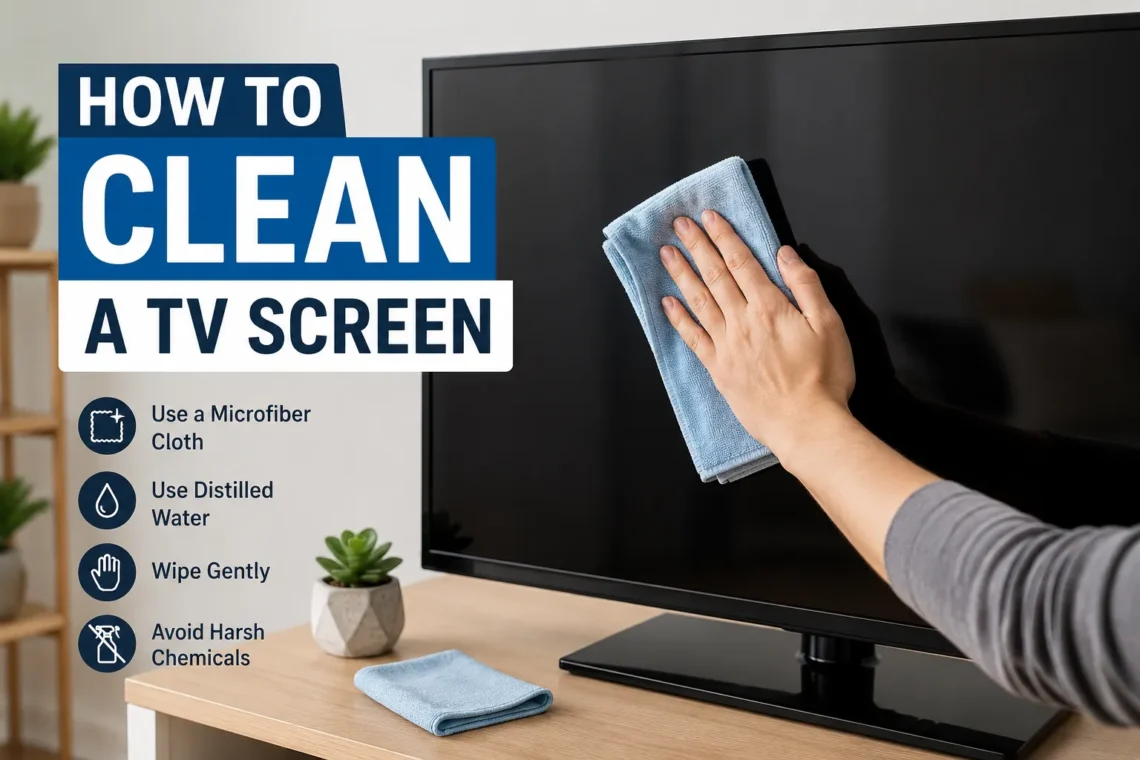
A television is often the centerpiece of a living room, bedroom, or entertainment space. Whether you enjoy streaming movies, playing video games, or watching sports, a clean display makes every viewing experience more enjoyable. Over time, however, dust, fingerprints, pet hair, and tiny smudges gradually build up on the screen. Many people unknowingly damage their televisions by using household cleaners, paper towels, or excessive pressure while wiping.
If you’re wondering how to clean a TV screen, the good news is that the process is simple when you use the right tools and techniques. Modern LED, OLED, QLED, and LCD televisions have delicate coatings that require gentle care. Cleaning them properly not only improves picture quality but also helps preserve the screen for years.
This guide explains the safest methods, common mistakes to avoid, and maintenance tips that keep your television looking as good as new.
Why Cleaning Your TV Screen Properly Matters
A dirty television doesn’t just look unpleasant—it can also affect your viewing experience. Dust and fingerprints scatter light across the display, making images appear less sharp. Bright scenes may seem hazy, while darker scenes can reveal smudges that become distracting.
Modern televisions use specialized anti-glare and protective coatings. These coatings improve picture quality but are far more delicate than the glass found on older CRT televisions. Using harsh chemicals or abrasive materials may permanently damage the surface.
Regular, gentle cleaning keeps your display clear without reducing its lifespan.
Know Your TV Screen Before Cleaning
Before you begin, it’s helpful to understand what type of television you own.
Most modern TVs fall into one of these categories:
- LED TVs
- LCD TVs
- OLED TVs
- QLED TVs
Although these technologies differ internally, the outer screen surface is cleaned in nearly the same way. Unlike older glass screens, modern displays are softer and more sensitive to scratches.
Always consult your TV manufacturer’s instructions if they recommend specific cleaning methods for your model.
Items You Should Use
Cleaning a television doesn’t require expensive products. In fact, using fewer items is often safer.
You’ll need:
- A clean microfiber cloth
- Distilled water (if necessary)
- Another dry microfiber cloth for finishing
A microfiber cloth is designed to trap dust without scratching delicate surfaces. Distilled water is recommended because it leaves fewer mineral spots than regular tap water.
Items You Should Never Use
Many common household cleaning products can permanently damage your television.
Avoid using:
- Glass cleaner
- Window cleaner
- Alcohol-based cleaners
- Bleach
- Ammonia
- Acetone
- Paper towels
- Tissues
- Rough cloths
- Kitchen sponges
Paper products may feel soft, but their fibers can leave tiny scratches on delicate coatings.
Turn Off the TV Before Cleaning
One of the easiest ways to clean safely is by turning off the television completely.
Allow the screen to cool for several minutes before wiping it.
A dark screen makes dust, fingerprints, and streaks much easier to see. It also reduces the chance of accidental button presses while cleaning.
For maximum safety, unplug the TV from the power outlet if you’re performing a more thorough cleaning.
Remove Dust First
Dust should always be removed before dealing with fingerprints or smudges.
Using a dry microfiber cloth, gently wipe the screen from top to bottom using straight, even strokes.
Avoid circular scrubbing because it may create visible streaks or uneven pressure on the display.
For televisions that collect dust quickly, this simple dry wipe may be all that’s needed.
How to Clean Stubborn Fingerprints
Sometimes fingerprints refuse to disappear with a dry cloth.
Lightly dampen one corner of a microfiber cloth using distilled water. The cloth should feel barely moist—not wet.
Never spray water directly onto the television.
Gently wipe the affected area using light pressure. Once the smudge disappears, immediately dry the area with another clean microfiber cloth.
Excess moisture should never remain on the screen.
How to Clean the TV Frame
The bezel and frame surrounding the screen often collect dust faster than the display itself.
These areas are generally less delicate than the screen but should still be cleaned carefully.
Use a dry microfiber cloth to wipe around the edges. For stubborn dirt, slightly dampen the cloth with water before cleaning.
Avoid letting moisture run toward speaker openings, buttons, or ventilation slots.
Cleaning the TV Stand and Base
Dust often settles on the television stand and base.
Removing this dust prevents it from floating back onto the display.
Use a microfiber cloth or soft dusting brush to clean the stand. If needed, wipe it with a lightly damp cloth and dry immediately afterward.
Keeping the surrounding furniture clean also reduces dust buildup on the television.
How Often Should You Clean Your TV?
The ideal cleaning schedule depends on your environment.
If your home is relatively dust-free, lightly dusting the television once every week is usually enough.
Homes with pets, open windows, or heavy foot traffic may require cleaning two or three times per week.
Fingerprints should be removed whenever they become noticeable instead of waiting for them to accumulate.
Mistakes That Can Damage a TV Screen
Many television owners accidentally shorten the life of their display through improper cleaning.
Some of the most common mistakes include:
- Spraying cleaner directly onto the screen
- Pressing too hard while wiping
- Using paper towels
- Cleaning while the TV is still hot
- Using household chemical cleaners
- Scrubbing stubborn spots aggressively
- Allowing water to drip into the edges
Gentle cleaning is always more effective than forceful scrubbing.
Can You Use Screen Cleaning Sprays?
Some manufacturers sell cleaning solutions specifically designed for electronics.
These products are generally safe when they are intended for televisions and contain no alcohol or ammonia.
However, distilled water and a microfiber cloth are often sufficient for routine cleaning.
If you choose to use a commercial cleaner, spray it onto the cloth rather than directly onto the television.
What About Compressed Air?
Compressed air can be useful for removing dust from ports, HDMI connections, and ventilation openings.
It should not be sprayed directly against the display surface.
Holding the can too close may release liquid propellant, which could damage sensitive components.
Use short bursts while keeping the nozzle several inches away.
Special Care for OLED TVs
OLED televisions produce stunning picture quality, but their screens deserve extra care.
The display coating is extremely thin, making gentle handling especially important.
Never apply excessive pressure when wiping an OLED screen. Even stubborn marks should be cleaned using repeated light passes rather than force.
Following the manufacturer’s recommendations helps preserve image quality for years.
Tips to Keep Your TV Screen Cleaner Longer
Preventing dirt is much easier than removing it later.
Here are several habits that reduce buildup:
- Wash hands before using the television.
- Keep food away from the screen.
- Avoid touching the display while pointing at images.
- Dust the room regularly.
- Use air purifiers if your home collects excessive dust.
- Keep pets from brushing against the screen.
- Clean nearby shelves and speakers frequently.
Small changes in daily habits significantly reduce the need for deep cleaning.
Is It Safe to Use Wet Wipes?
Most household wet wipes are not designed for electronic displays.
Many contain alcohol, perfumes, or cleaning chemicals that may wear away protective coatings.
Even wipes labeled for general electronics should be checked carefully before use.
When in doubt, a clean microfiber cloth with a tiny amount of distilled water remains the safest choice.
Signs Your TV Needs Cleaning
Sometimes dirt develops so gradually that you don’t notice it immediately.
Your television probably needs cleaning if you observe:
- Visible fingerprints
- Dust collecting along the edges
- Streaks during bright scenes
- Reduced picture clarity
- Smudges visible when sunlight hits the display
Cleaning before heavy buildup occurs requires much less effort.
Long-Term Screen Care Tips
Proper maintenance extends the life of your television.
Avoid placing the TV where direct sunlight constantly reaches the screen, as excessive heat may affect both the display and its protective coatings over time.
Maintain good room ventilation and avoid smoking near the television, since smoke residue creates sticky films that attract even more dust.
When moving the television, always hold it by the frame rather than pressing against the display itself.
These simple habits help keep the screen in excellent condition year after year.
Conclusion
Learning how to clean a TV screen correctly protects one of the most delicate parts of your television. Fortunately, safe cleaning doesn’t require expensive products or complicated techniques. A soft microfiber cloth, a small amount of distilled water when necessary, and gentle handling are usually all you need.
Avoid harsh chemicals, never spray liquids directly onto the display, and resist the urge to scrub stubborn marks with force. By following these simple practices and cleaning your television regularly, you’ll enjoy a clearer picture while protecting your investment for many years.
(FAQs)
1. Can I use glasses cleaner on my TV screen?
No. Most glasses cleaners contain chemicals that may damage the protective coating on modern television screens.
2. Is distilled water better than tap water?
Yes. Distilled water contains fewer minerals, reducing the chance of leaving streaks or residue after cleaning.
3. Should I spray water directly onto the TV?
No. Always apply water to a microfiber cloth instead of spraying the television directly.
4. How often should I clean my TV screen?
Light dusting once a week is enough for most homes, while fingerprints should be cleaned whenever they appear.
5. Can paper towels scratch a TV screen?
Yes. Paper towels can leave tiny scratches on delicate screen coatings, so a microfiber cloth is always the safer choice.